
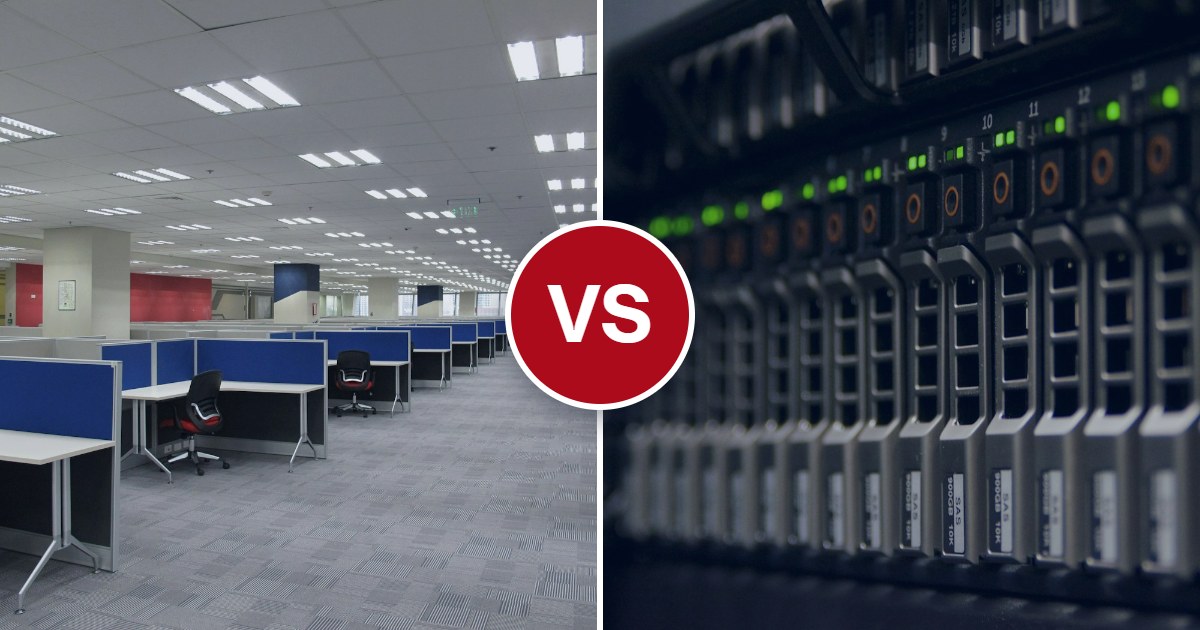
Many accounting firms still run QuickBooks Desktop on one computer or server in the office. It works until someone needs the books from home, a client meeting runs long, or the server fails in the middle of busy season. At that point the problem is rarely QuickBooks itself. It’s where QuickBooks is running.
This guide explains the benefits of QuickBooks Hosting: what hosting QuickBooks Desktop means, how it compares with an office server, where it helps most, and when an office server still makes sense.
What does hosting QuickBooks Desktop mean?
Hosting means QuickBooks Desktop and your company files are installed on a server in a data center instead of a computer in your office. Your team connects to that server over the internet with Remote Desktop and works in QuickBooks as they do today.
It isn’t QuickBooks Online. You keep the Desktop editions you already use, including Pro Plus, Premier Plus, Accountant and Enterprise, along with your reports, company files and add-on software. Intuit lists cloud hosting among its recommended ways to run QuickBooks Desktop over a network, alongside a local office network and Terminal Services.
How does a hosted server compare with an office server?
The software is the same either way. What changes is who looks after the machine it runs on, and where your team can reach it from.
| Office server or PC | Hosted server | |
|---|---|---|
| Working from home or a client’s site | Needs a VPN or remote access into the office. Intuit doesn’t recommend opening a company file over a VPN. | Sign in to the server by Remote Desktop from anywhere with an internet connection |
| Windows updates and security patches | Someone at the firm has to remember to install them | Installed by the host’s team |
| Server hardware | The firm buys, houses and replaces it, often at the worst time | Owned, managed and monitored by the host |
| Backups | Often kept in the same building as the server | Offsite backups available, kept away from the server |
| Power, cooling and physical security | Depends on the office | Data center with redundant power and cooling, 24/7 onsite security and biometric access |
| Growing the team | Buy a bigger server | Resize the server, up to a Dedicated Server |
Not sure which setup suits your firm? Book a consultation and we’ll look at how your team works today.
What are the benefits of QuickBooks Hosting?
For most firms, the benefits come down to access, safety and less time spent looking after a server.
1. Work from anywhere without a VPN
QuickBooks Desktop reads and writes the company file constantly. Over a VPN, delays or a dropped connection can slow it down or damage the file, which is why Intuit lists VPNs among the networks it doesn’t recommend. With hosting, QuickBooks and the file sit together on one server, and only the screen, keyboard and mouse travel over the internet.
2. Multi-user mode that just works
In an office, multi-user mode depends on every workstation, the network and Database Server Manager behaving. On a hosted server, everyone works on the same machine where the company file lives, which is the setup QuickBooks expects.
3. Your clients’ data in a certified data center
A data center is built for what an office server room can’t offer: redundant power and cooling, 24/7 onsite security and biometric access control. Our QuickBooks Hosting runs in Miami, Dallas, Silicon Valley or Toronto, and each site is certified to SOC 2 Type II, ISO 27001 and PCI DSS.
4. Offsite backups and two-factor sign-in
A backup on a drive next to the server doesn’t help if the office floods or is broken into. Hosting keeps backups away from the server, and two-factor sign-in adds a second check before anyone opens the books. Both are available on request with QuickBooks Cloud Hosting.
5. No office server to look after
An office server has to be bought, kept running and replaced as it ages, usually by someone whose real job is accounting. With hosting, the hardware is owned, managed and monitored by the host, and the firm’s time goes back to client work. At Supreme Servers, our team also installs Windows updates and security patches on your server, so it stays current without anyone at the firm having to remember.
6. A setup that grows with the firm
Adding staff for busy season shouldn’t mean buying hardware. A hosted server can be resized as the team grows, and firms with large files or many users can move up to a Dedicated Server.
7. Keep the QuickBooks your team knows
There’s no retraining and no data conversion. Your team keeps QuickBooks Desktop, and Intuit has given the 2024 version no end date. Our guide Is QuickBooks Desktop being discontinued? explains what Intuit still supports.
When does an office server still make sense?
Hosting isn’t the right answer for every firm. An office server can still be the better fit when:
- Everyone works in one office and nobody needs QuickBooks from anywhere else.
- The server is new and someone in-house already keeps it patched and backed up.
- The office internet is unreliable. A hosted server is only as reachable as your connection to it.
If your team works from more than one place, or nobody owns the server’s upkeep, hosting usually removes more problems than it adds.
What should you ask a QuickBooks Hosting provider?
Before you choose a host, get clear answers to these questions:
- Which editions and versions do you host? Check that yours is covered, including Enterprise and Accountant if you use them.
- Can we use our own license? Ask whether you bring your Intuit license or the host supplies one.
- Where is the data center, and which certifications does it hold? Look for SOC 2 Type II and ISO 27001 at the site that holds your data.
- How are backups kept and restored? Ask how often they run, where they are stored and how a restore works.
- Who installs Windows updates and security patches? Ask whether the host does it or leaves it to you.
- Is two-factor sign-in available?
- When is technical support available? Busy season doesn’t keep office hours.
- Can the server grow? Ask what happens when you add users or need more power.
- Can our other software run beside QuickBooks? Many firms also need Office, tax software or add-ons on the same server.
How does QuickBooks Hosting work at Supreme Servers?
With QuickBooks Desktop Hosting from Supreme Servers, each firm gets a private Windows Server environment that your team reaches by Remote Desktop.
- The editions you use. QuickBooks Desktop Pro Plus, Premier Plus, Accountant and Enterprise.
- Your license or ours. Bring your own Intuit license, or we supply one.
- Unlimited company files on your server, with dual monitors and compatible third-party software.
- Windows updates and security patches installed on your server by our team.
- Two-factor sign-in and frequent offsite backups, available on request.
- Sized for your firm, up to a Dedicated Server.
- Certified data centers in Miami, Dallas, Silicon Valley or Toronto. See our data centers.
- 24/7/365 technical support from our support team.
If your company file lives on an office server today, our guide to hosting a QuickBooks company file on a server explains the options before you move.
Frequently asked questions
Is QuickBooks Hosting the same as QuickBooks Online?
No. Hosting runs the QuickBooks Desktop software you already use on a server in a data center. QuickBooks Online is a different product that runs in a web browser, with its own features and its own subscription.
Will QuickBooks look or work differently once it’s hosted?
No. It’s the same QuickBooks Desktop, with the same menus, reports and company files. The difference is that your team signs in to the server by Remote Desktop instead of opening QuickBooks on an office computer.
Can several people work in the same company file at once?
Yes. The company file stays on the server’s own drive and everyone works on that server, so multi-user mode works the way Intuit designed it. Each person working in the file at the same time needs a QuickBooks user license.
Do we need a fast internet connection?
A stable connection matters more than raw speed. With Remote Desktop, only the screen, keyboard and mouse travel over the internet, while QuickBooks and the company file stay together on the server.
Can we keep our current QuickBooks license?
Yes. You can bring your existing Intuit license to Supreme Servers, or we can supply one.
Can you host QuickBooks Desktop 2022 or 2023?
Yes, as they are. Intuit no longer sends them security updates, so we recommend moving to QuickBooks Desktop 2024, which has no end date, and we can help with the upgrade.
Sources
Checked on November 17, 2026.
- Intuit: Recommended networks for QuickBooks
- Intuit: Set up and install a multi-user network for QuickBooks Desktop
- Intuit: Use QuickBooks Database Server Manager
- Intuit: What’s new in QuickBooks Desktop 2024
Ready to move QuickBooks off the office server?
Tell us which edition you run, how many people use QuickBooks and where your team works. We’ll size a private server for your firm and plan the move with you.